Favorites
Overview
Favorites OsmAnd's feature allows you to create bookmarks (notes) on the map. These favorite points are displayed as yellow stars by default, but you can fully customize them with different colors, shapes, and icons. Favorites are grouped into a dedicated map layer, which becomes visible from the 6th zoom level.
- Android
- iOS
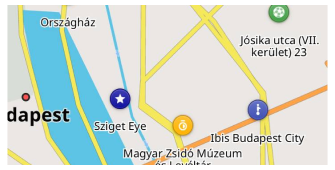
Favorite Point
- Android
- iOS
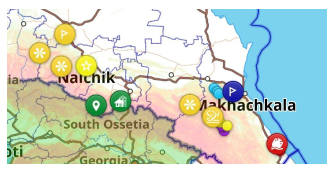
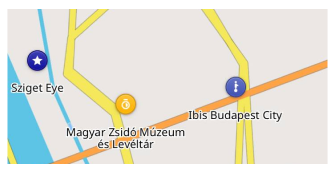
Favorites are part of a special map layer, and you can show or hide them along with their names on the map. Tapping a favorite point opens the Context menu, allowing you to view details and edit or delete the point.
Create
- Android
- iOS
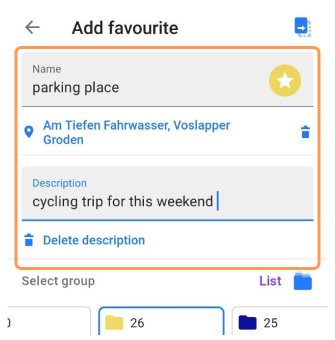
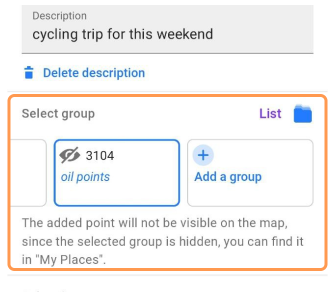
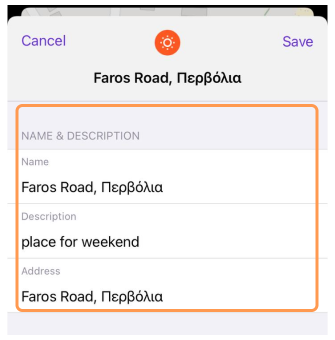
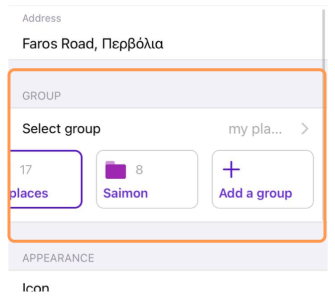
To add a favorite point:
- Select a POI or a structure on the map.
Short tap for a POI or long tap for a general map point. - Select Add (☆) from the map context menu.
When adding a point from OSM data, the relevant POI information is automatically included. You can also create a favorite by long-tapping any map location.
Fields for a Favorite point:
- Name — A unique name within the group (Required).
- Address and Description (Optional).
- Group — Select from an existing Favorite group or create a new one. On Android, you can also select a subfolder within a group or create a new one. Nested folders are displayed using their full path (for example, Travel / Italy / Rome).
- Visual customization — Icon, color, shape can either match the default group appearance or be customized individually.
- Media (Android only) — Attach photos, videos, audio recordings, or images from your Gallery or Files.
NOTE: If the Favorites layer is disabled in Configure map, adding a new favorite point automatically enables the layer to make the newly added favorite visible on the map.
Edit / Replace / Delete
- Android
- iOS
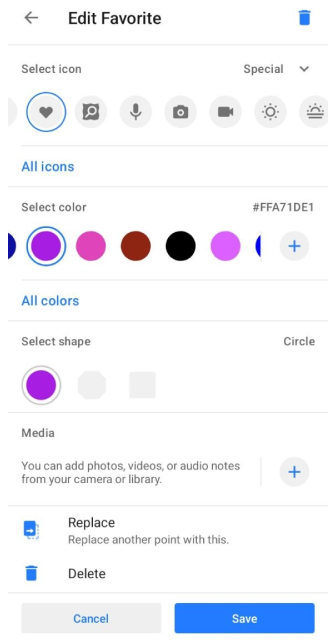
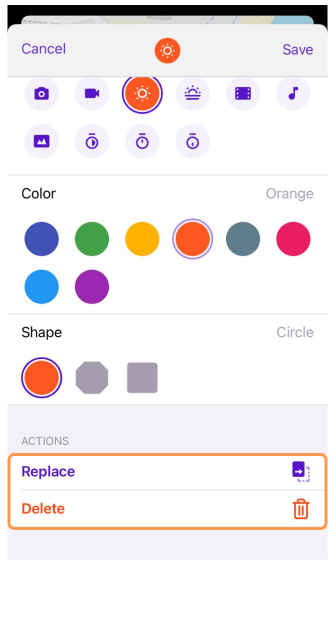
To modify a favorite point:
- Tap the favorite on the map or go to My Favorites.
- Choose Edit favorite from the map context menu.
Options available:
- Edit details — Name, icon, group, address, description, and attached media.
- Replace location — Replace another point with this one. Useful for updating a specific point (e.g. My parked car) or creating a new one.
- Delete — Remove the favorite using the delete option, accessible through the Edit menu or via the delete button on Android.
Favorite Icons
- Android
- iOS
Go to: Menu → My Places → Favorites → Choose favorite → Edit Favorite → Select icon
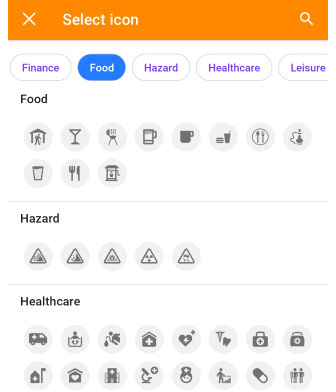
Go to: Menu → My Places → Favorites → Choose favorite → Edit favorite → Select icon
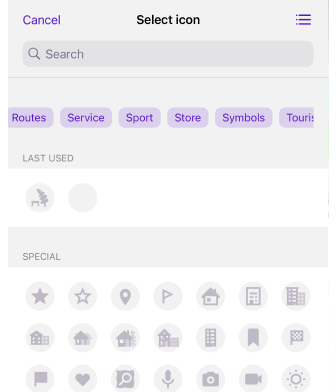
The Select icon screen groups icons by category. A row of category chips at the top lets you jump straight to a category's section in the list below. Tap the magnifying glass icon to find an icon by name or keyword.
- Last used — Recently selected icons appear in their own section for quick reuse.
- Special — A set of general-purpose icons (star, flag, marker, heart, camera, and others) not tied to a specific category.
Special Favorites (Personal)
The Personal folder contains special points like Home and Work, often used in navigation. This folder does not have a three-dot menu, and its parameters cannot be changed.
Media (Android only)
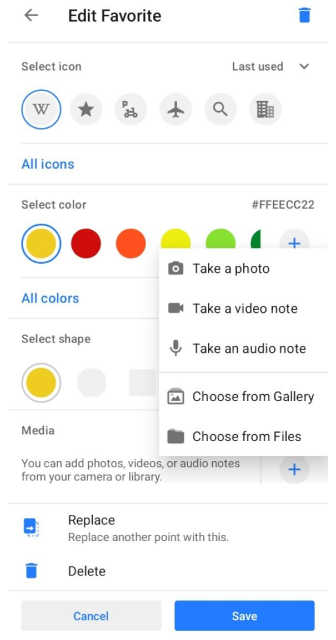
The Media section allows you to attach photos, videos, audio recordings, and images to a favorite point. Media can be added while creating a favorite or later from the Edit favorite screen. To attach media tap Add in the Media section and choose one of the available options:
- Take a photo — Capture a new photo with the device camera.
- Take a video note — Record a new video.
- Take an audio note — Record an audio note.
- Choose from Gallery — Select an existing image from your device.
- Choose from Files — Select an image from the file system.
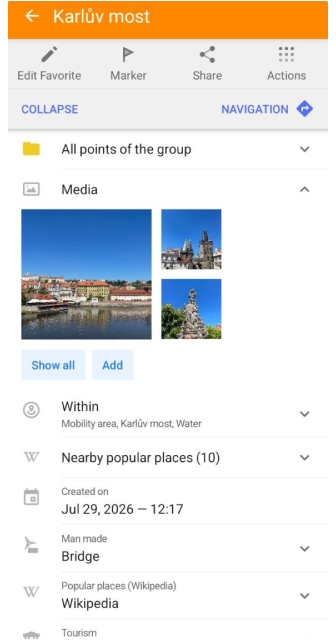
After media is attached, it appears in the Media card in the favorite context menu. The same Media card is also available for Waypoints.
The Media card displays previews of attached items. The displayed items follow the selected sorting order. Tap Show all to open the complete gallery. The gallery displays all media attached to the selected favorite.
Tap any item to open it in full-screen view. Photos and videos can be viewed directly, while audio recordings include playback controls.
Manage Favorites
- Android
- iOS
Go to: Menu → My Places → Favorites
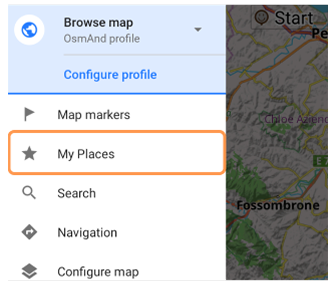
Go to: Menu → My Places → Favorites
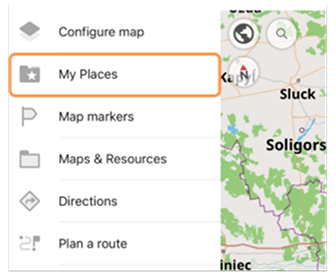
The Favorites section lets you:
- Search for specific favorites or groups. On iOS, favorite groups (folders) are organized into three sections: Pinned, Visible, and Hidden. Empty sections are not displayed.
- Bulk operations — Share, move, or delete multiple favorites at once.
Order / Sorting / Search
- Android
- iOS
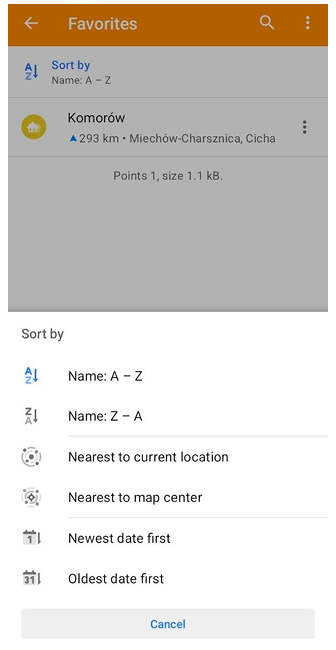
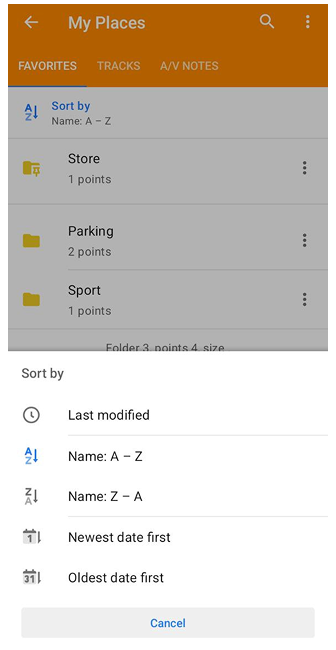
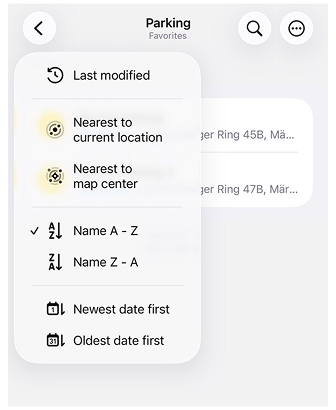
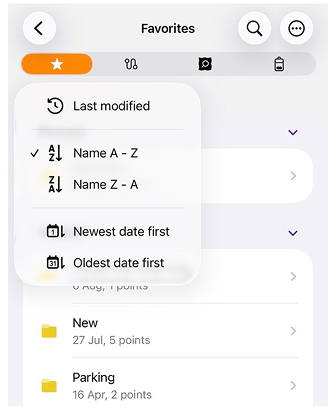
- Sorting — Favorite folders and points can be sorted using the available sorting options in the list menu. For favorite points, the following options are available: Name A – Z, Name Z – A, Last modified, Nearest to current location, Nearest to map center, Newest date first, and Oldest date first. For favorite folders, the following options are available: Name A – Z, Name Z – A, Last modified, Newest date first, and Oldest date first. By default, items are sorted by Name A – Z. Pinned folders are always displayed at the top of the list. They are visually separated from the rest of the folders by a divider.
- Searching — You can use Global search to find favorites by name. To search only within the Favorites list in the My Places tab, tap the Search (magnifying glass) icon.
Bulk Edit / Delete
- Android
- iOS
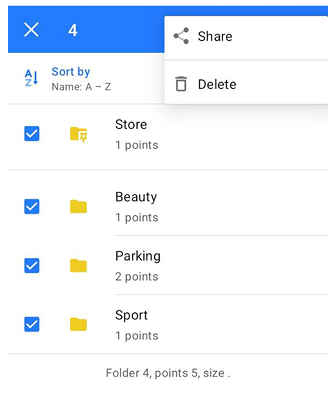
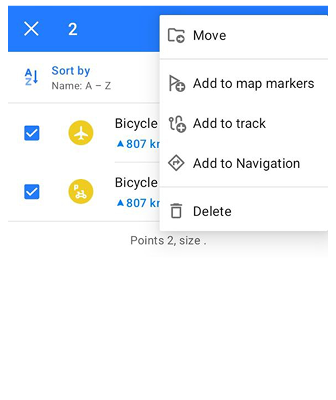
To manage multiple favorites or folders, enter Selection mode. You can open Selection mode in two ways:
- Tap the three-dot menu in the top-right corner and choose Select.
- Long tap a favorite point or folder.
When Selection mode is enabled, checkboxes appear next to items in the list. Select the required favorites or folders by tapping the checkboxes. To select all items in the list, tap the Select all icon in the top-right corner.
The available actions depend on the selected item type. When folders are selected, the following actions are available:
- Share — Export selected folders as a Favorites GPX file.
- Delete — Remove the selected folders.
When favorite points are selected, the following actions are available:
- Move — Move selected favorites to another folder.
- Add to map markers — Add selected points to the Map markers list.
- Add to track — Add selected points to a track.
- Add to navigation — Start navigation to the selected point.
- Delete — Remove the selected favorites.
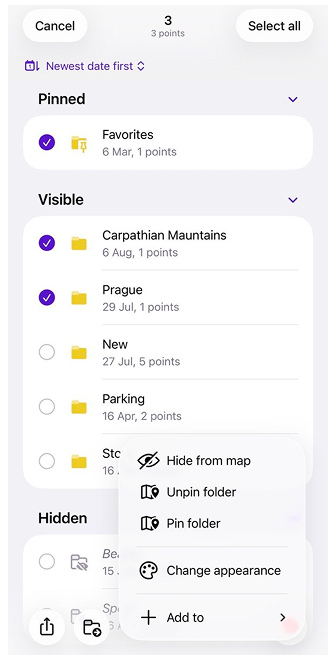
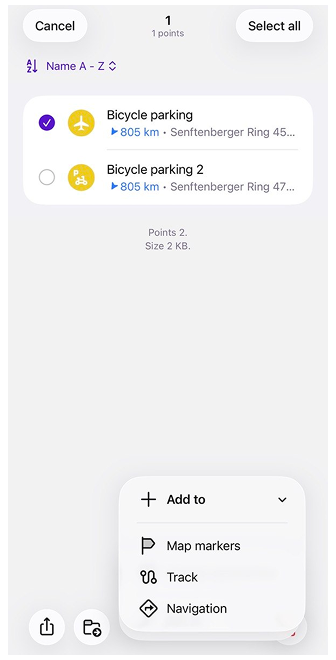
To manage multiple favorite points or folders, enter Selection mode by tapping the three-dot menu in the top-right corner and choosing Select. When Selection mode is enabled, checkboxes appear next to items in the list. Select the required favorite points or folders by tapping the checkboxes. To select all items in the list, tap the Select all icon in the top-right corner.
The available actions for selected favorite points are as follows:
- Share — Export selected points as a Favorites.gpx file.
- Move — Move selected favorite points to another folder.
- Change appearance — Change the appearance of selected favorite points.
- Add to map markers — Add selected points to the Map markers list.
- Add to track — Add selected points to a track.
- Add to navigation — Add selected points to navigation.
- Delete — Remove the selected favorite points.
For selected folders, the same actions are available, with the following additional options:
- Show on map / Hide on map — Show or hide the favorite points from the selected folders on the map.
- Pin / Unpin folder — Pin or unpin the selected folders.
Favorite Group Actions
- Android
- iOS
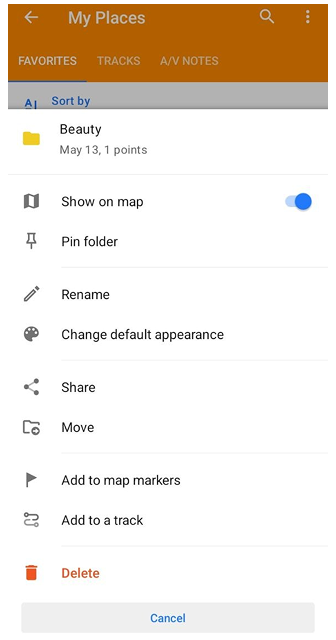
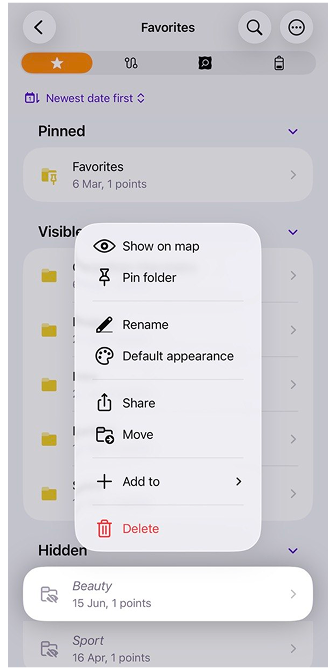
On Android, use the Three-dot menu next to each folder to manage groups of favorites. On iOS, Use the long tap the folder to manage groups of favorites:
- Show on map / Hide on map — Toggle this option to display or hide the favorite points from the folder on the map.
- Pin folder — Pin the selected folder to keep it at the top of the favorites list for quicker access.
- Rename — Use this option to change the name of the selected folder.
- Change default appearance — Customize how the favorite points in the folder appear on the map by changing their icons, colors, or labels.
- Share — Share the favorite points in the folder by exporting them as a Favorites.gpx file, making it easy to transfer or back up your data.
- Move — Move the selected folder, including all favorite points and nested subfolders, to another folder. The current folder and its subfolders cannot be selected as the destination.
- Add to map markers / Remove from map markers — Add all favorite points from the folder to the Map markers list or remove them as needed for easy reference.
- Add to a track — Add all favorite points from the selected folder to a track. This opens the track selection screen where you can choose or create a track.
- Add to navigation (iOS only) — Add all favorite points from the selected folder to navigation.
- Delete — Permanently delete the selected favorites folder and all the points within it.
Change Group Appearance
- Android
- iOS
Go to: Three-dot menu → Change default appearance
Go to: Long tap folder → Default appearance
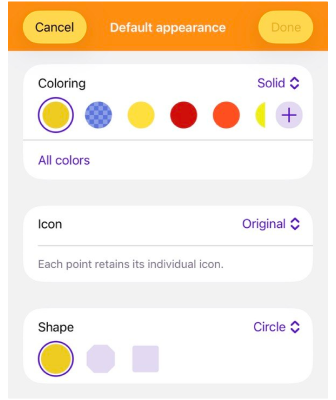
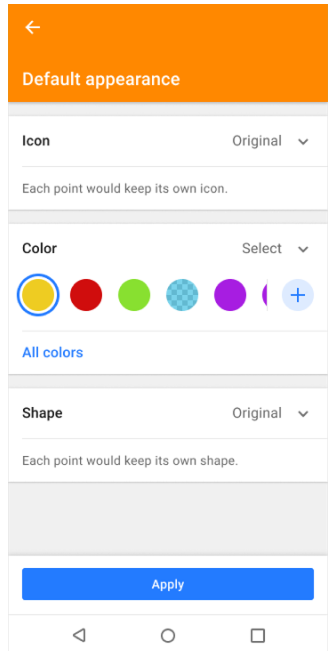
The Change Group Appearance option allows you to set a default style for all favorites in a folder. You can adjust the following parameters:
- Icon — Choose an icon from the available categories.
- Color — Select a solid color to highlight favorites.
- Shape — Pick a marker shape (circle, square, octagon).
If the favorites in a folder already have different icons, colors, or shapes, the Original state is displayed. This means each favorite keeps its current style unless you select a new one. When saving, you will also be prompted to choose how the changes should be applied:
- Apply only to new points — Existing favorites remain unchanged; new favorites will inherit the default appearance.
- Apply to existing points — Update only the favorites already in the folder.
- Apply to all points — Apply the new style to both existing and future favorites.
This flexibility allows you to standardize the appearance of a folder or keep unique customizations while still setting defaults for new points.
Export / Import
OsmAnd provides several methods to back up and restore favorites:
-
Backup locations — Local storage, OsmAnd Cloud (only with OsmAnd Pro or OsmAnd Start subscription), or instant messaging apps.
-
File format — Favorites are saved as
.gpxfiles (favorites.gpx). Use the.osfformat to back up favorites with their attached media. Importing the backup restores both favorite points and their associated media.
Free Cloud Backup
- Android
- iOS
Go to: Menu → My Places → Favorites
Go to: Menu → My Places → Favorites
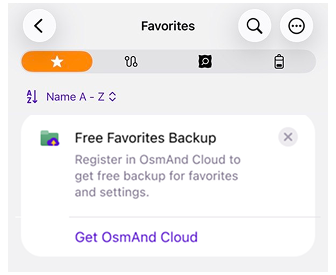
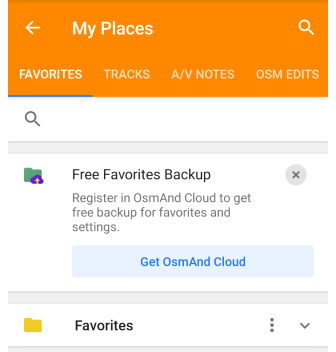
The Free Favorites Backup is a special purchase plan that allows you to back up your favorite points (locations) for Android, iOS, or Web versions in the OsmAnd application and restore them from OsmAnd Cloud. This plan is available for users of OsmAnd Free or Maps+.
Free Favorites Backup offers these benefits:
- No payment is required. Use the backup feature without purchasing paid subscriptions.
- Save favorite points. Regularly save your favorite points in OsmAnd to avoid losing them if your device crashes or the app is deleted.
- Transfer favorite points. Import your favorite points to a new device with Free Favorites Backup feature if you use OsmAnd across multiple devices.
How to Create a Backup
- Android
- iOS
Go to: Menu → My Places → Favorites
Go to: Menu → My Places → Favorites
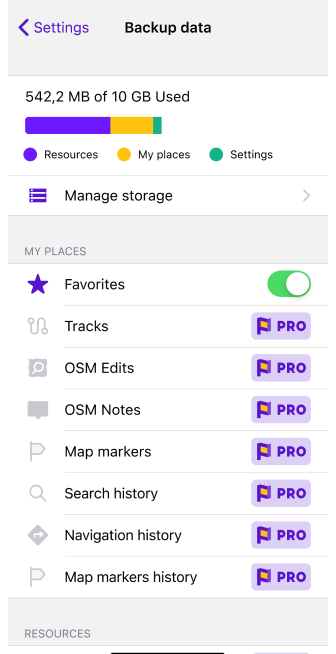
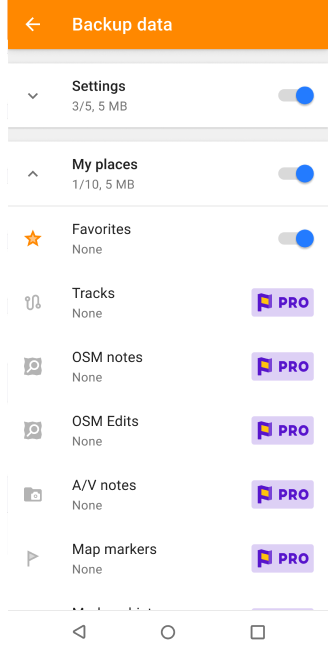
You need an OsmAnd Cloud account to use the Free Favorites Backup feature. If you have an account in OsmAnd Pro or an active account in OsmAnd Cloud account, you will not see the promotion banner.
- Free Favorites Backup banner. Tap this banner to start the backup process.
- Complete the registration step if you do not have an OsmAnd Cloud account by following the instructions in the registration guide.
- Navigate to the OsmAnd Purchases menu (Menu → Settings → Purchases).
- OsmAnd Start package. Select this option to access the Free Favorites Backup feature.
- Create a backup of your favorites.
Favorite Group
- Android
- iOS
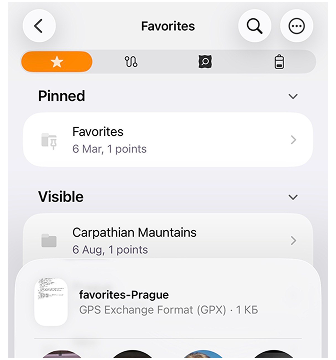
- To share multiple favorite folders, see Bulk Edit / Delete section.
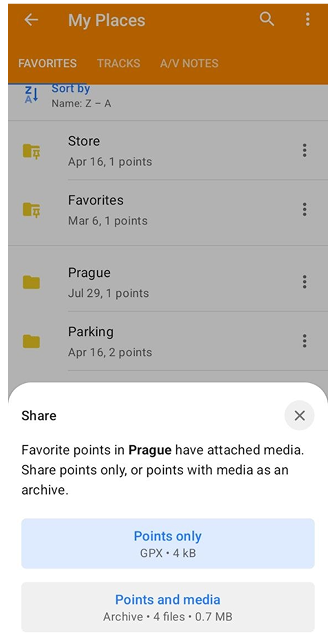
- To share a single favorite folder, see Favorite Group Actions section. On Android, if the folder contains attached media, a Share bottom sheet appears. You can choose:
- Points only — Share the favorite points from the folder as a GPX file.
- Points and media — Share the favorite points and attached media as an OSF archive.
Automatic Favorites Backup
- Android
- iOS
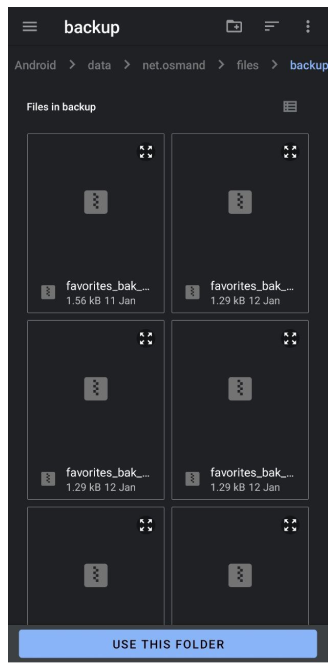
Go to: Android → data → net.osmand → files → backup
Go to: Files → On my iPhone → OsmAnd Maps → favourites_backup
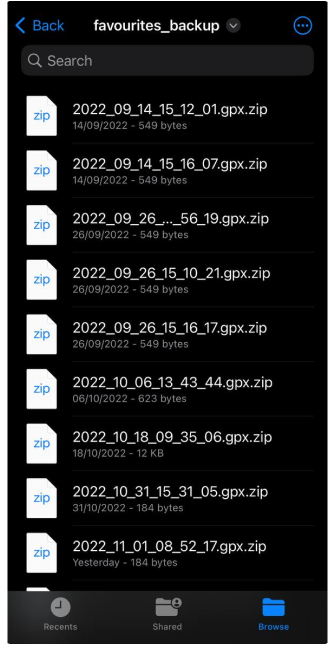
OsmAnd automatically creates a backup file each time favorites are edited, keeping up to 10 backup files in total, with no more than 2 new backups per day.
-
Android: Backups are stored in Android → data → net.osmand → files → backup. Use a third-party file manager to access them.
-
iOS: Files are located in Files → On my iPhone → OsmAnd Maps → favourites_backup.
Manual backup export
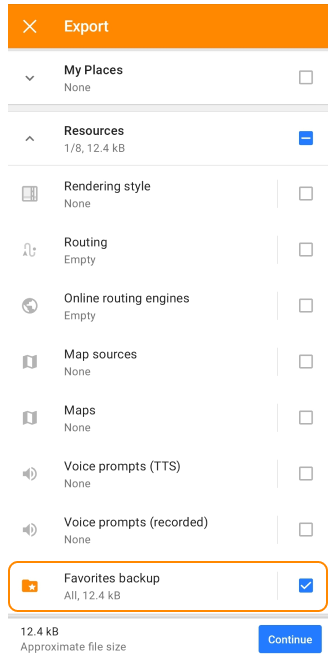
- Go to Menu → Settings → Export to file → Resources → Favorites backup.
- Export the
.osffile to local storage, cloud services, or share it directly.
In the latest versions of Android, access to system directories is limited. However, after extracting the favorites file from the archive, it remains possible to forward it to messengers or cloud services, etc.
Favorites in GPX File
All information about a Favourite is stored and described using tags. When creating a Favourite point, you can write your own description or use information from the OSM point of interest (POI) data from which your point was created. Favorite points, POIs, and Waypoints use the same tags to store information and are saved in GPX file format.
Favorites can also contain references to attached media using standard GPX <link> elements.
<gpx version="1.1" creator="OsmAnd" xmlns="http://www.topografix.com/GPX/1/1" xmlns:osmand="https://osmand.net" xmlns:test="https://test.net" xmlns:xsi="http://www.w3.org/2001/XMLSchema-instance" xsi:schemaLocation="http://www.topografix.com/GPX/1/1 http://www.topografix.com/GPX/1/1/gpx.xsd">
    <wpt lat="37.5460870" lon="-77.4532843">
        <time>2023-06-07T12:31:35Z</time>
        <name>Test</name>
        <type>SOTM</type>
        <extensions>
            <osmand:address>Floyd Avenue (The Fan) 907, Richmond</osmand:address>
            <osmand:icon>place_town</osmand:icon>
            <osmand:background>circle</osmand:background>
            <osmand:color>#ff4e4eff</osmand:color>
            <test:country>United States</test:country>
            <test:state>Virginia</test:state>
            <test:telephone>(804) 828-0100</test:telephone>
            <test:postcode>23284</test:postcode>
            <test:start_date>Thursday, June 8, 2023</test:start_date>
        </extensions>
    </wpt>
</gpx>